Track your garden with confidence
Log every planting, treatment and harvest. Get reminders before things need doing. Diagnose sick plants from a photo. Everything from one season carries into the next.


- Free to download
- iOS & Android
- No ads or tracking
The problem
A growing season is easy to lose track of
A season is long, and the details that decide your harvest are the first things to slip.
Missed treatments
Forgot when you last fertilised? Plants suffer and yields drop when care is inconsistent.
Lost records
Paper notes disappear. Spreadsheets get messy. You can't remember what worked last season.
No insights
Without data you repeat mistakes, with no way to compare varieties or improve yields.
The solution
One journal for the whole growing year
Siy keeps the record for you — from the first seed to the last basket — so nothing depends on remembering.
Never forget a treatment
Set a reminder when you log the work. Siy notifies you on the day, straight from your phone.
Every record in one place
A single timeline of plantings, treatments and harvests — filterable by plot, exportable whenever you want.
Learn from last season
Compare varieties and yields year over year, and stop guessing at what actually worked.
Recent activity
Planted Tomatoes
Cherry variety · Greenhouse · Apr 21
Applied Fertilizer
NPK 20-20-20 · Garden Bed 1 · Apr 20
Harvested Cucumbers
3.2 kg · Greenhouse · Apr 19
How it works
Three steps, then it maintains itself
Set up once at the start of the season, and the journal maintains itself from there.
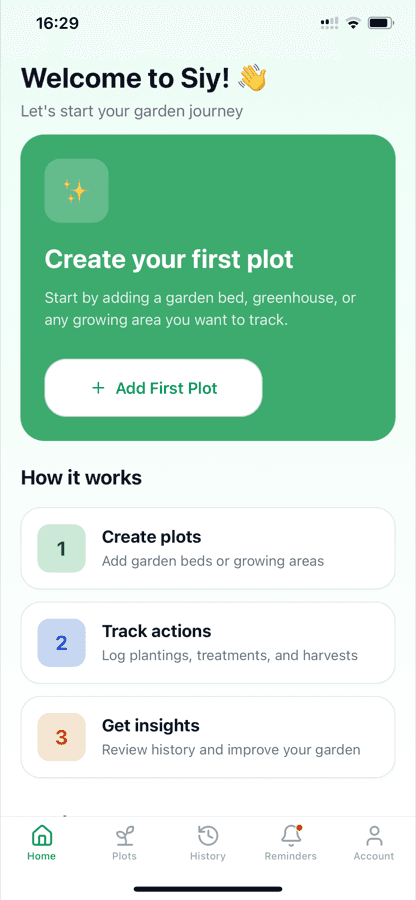
Create plots
Add your garden beds, greenhouses or growing areas and give each one a name and a colour.
Track actions
Log plantings, treatments and harvests as you go. Attach notes and set a reminder in the same step.
Get insights
Review the full history, export it wherever you like, and plan the next season from real records.
Features
Everything the season needs
Built around the work a real growing season demands.
Unlimited plots
Beds, greenhouses, whole fields — organise as many growing areas as you keep, each with its own colour.
AI plant diagnosis
Photograph an affected leaf and get diseases, deficiencies and pests identified in seconds.
Automatic care schedules
Enter a crop and get a full care schedule — watering, feeding and treatments — with the reminders set for you.
Smart reminders
Schedule watering, feeding and treatments. Notifications fire on your device — no push server involved.
Treatment tracking
Record every fertiliser, spray and product with dose and date, so the history is auditable.
Harvest records
Log quantity, unit and a short review per harvest, and see which varieties actually earn their space.
Family sharing
Invite family or a co-gardener with a code. Everyone shares one garden and can add plots, plantings, treatments and harvests.
Full history
One timeline across every plot and season, filterable by area and searchable at any time.
Take your data with you, anytime
Export the whole journal to Google Sheets, Excel or PDF, and delete your account and every record from the app in one tap.
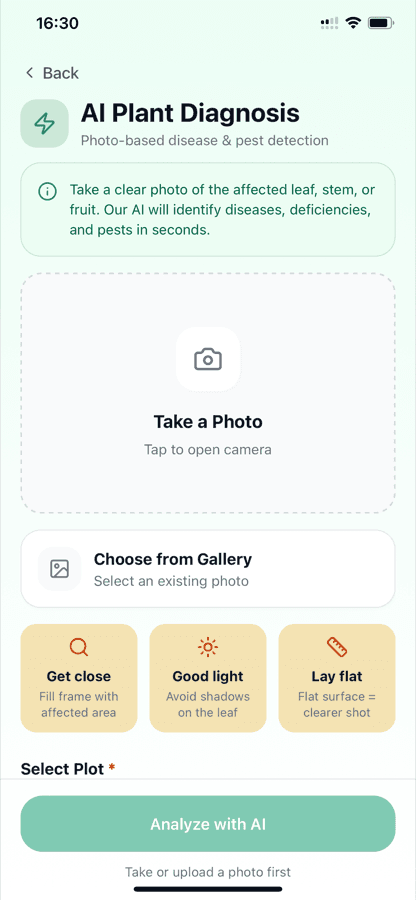
AI plant diagnosis
PremiumPoint your camera at a sick plant
Yellowing leaves, spots, wilting — describing it to a search engine rarely helps. Show it to Siy instead and get a specific answer while you're still standing in the bed.
Photograph the problem
Take a shot of the affected leaf, stem or fruit — or pick one from your gallery.
Get an answer in seconds
Diseases, nutrient deficiencies and pests identified, with severity and what to do next.
Saved to your planting
The treatment plan is saved to the planting it's for, with reminders for each step.
Included with premium, after your 7-day free trial. Photos are processed by OpenAI to produce the diagnosis. Details in our privacy policy.
Inside the app
Designed for use out in the garden
Large touch targets, plain language and no clutter — real screens, not mockups.
Home
Today's plots and what needs doing
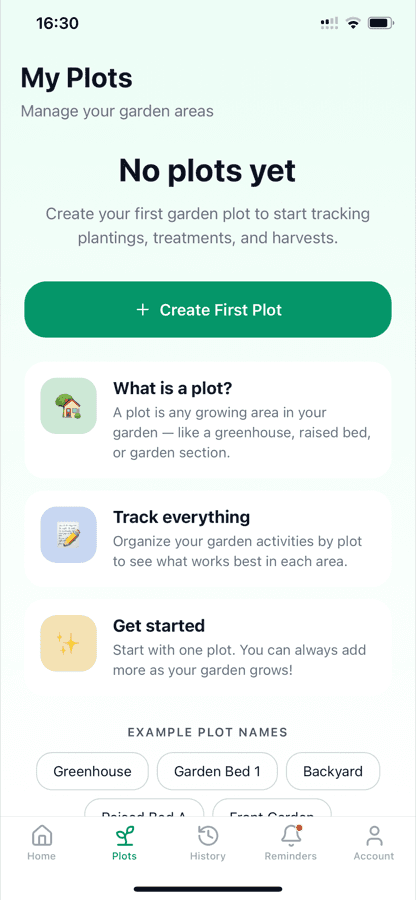
Plots
Every growing area you keep
AI diagnosis
Photo-based disease and pest detection (premium)
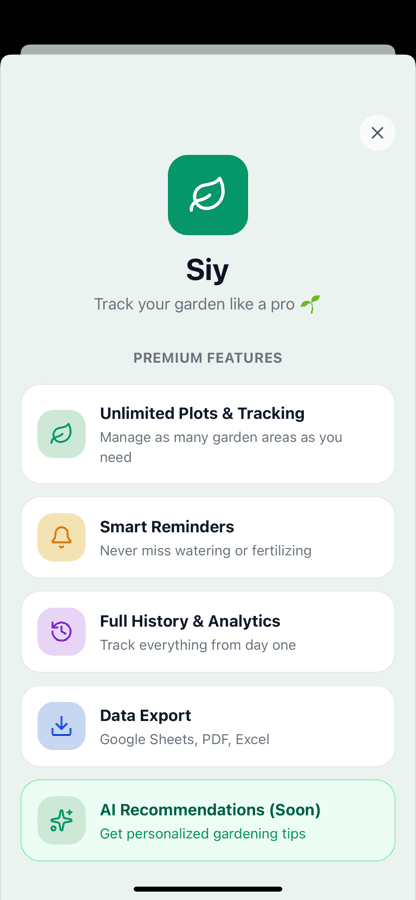
Premium
Unlimited plots, reminders and export
Start your garden journal today
Siy is free to download on iPhone and Android. Set up your first plot in under a minute.
- Free to download
- 7-day free trial on premium
- Cancel anytime in the App Store or Google Play